2.6. Image manipulation and processing using NumPy and SciPy
著者: Emmanuelle Gouillart, Gaël Varoquaux
This section addresses basic image manipulation and processing using the
core scientific modules NumPy and SciPy. Some of the operations covered
by this tutorial may be useful for other kinds of multidimensional array
processing than image processing. In particular, the submodule
scipy.ndimage provides functions operating on n-dimensional NumPy
arrays.
参考
For more advanced image processing and image-specific routines, see the
tutorial scikit-image: 画像処理, dedicated to the skimage module.
Tools used in this tutorial:
numpy: basic array manipulationscipy:scipy.ndimagesubmodule dedicated to image processing (n-dimensional images). See the documentation:>>> import scipy as sp
Common tasks in image processing:
Input/Output, displaying images
Basic manipulations: cropping, flipping, rotating, ...
Image filtering: denoising, sharpening
Image segmentation: labeling pixels corresponding to different objects
Classification
Feature extraction
Registration
...
2.6.1. Opening and writing to image files
Writing an array to a file:
import scipy as sp
import imageio.v3 as iio

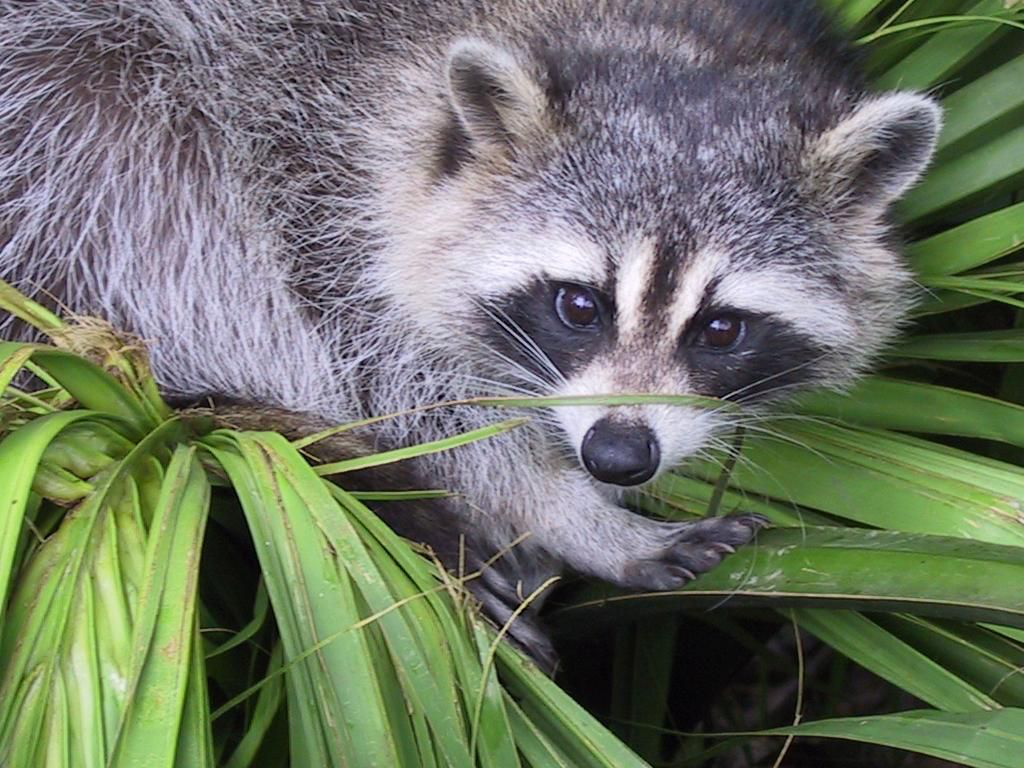
f = sp.datasets.face()
iio.imwrite("face.png", f)  # uses the Image module (PIL)

import matplotlib.pyplot as plt

plt.imshow(f)
plt.show()
Creating a NumPy array from an image file:
>>> import imageio.v3 as iio
>>> face = sp.datasets.face()
>>> iio.imwrite('face.png', face)  # First we need to create the PNG file

>>> face = iio.imread('face.png')
>>> type(face)
<class 'numpy.ndarray'>
>>> face.shape, face.dtype
((768, 1024, 3), dtype('uint8'))
dtype is uint8 for 8-bit images (0-255)
Opening raw files (camera, 3-D images)
>>> face.tofile('face.raw') # Create raw file
>>> face_from_raw = np.fromfile('face.raw', dtype=np.uint8)
>>> face_from_raw.shape
(2359296,)
>>> face_from_raw.shape = (768, 1024, 3)
Need to know the shape and dtype of the image (how to separate data bytes).
For large data, use np.memmap for memory mapping:
>>> face_memmap = np.memmap('face.raw', dtype=np.uint8, shape=(768, 1024, 3))
(data are read from the file, and not loaded into memory)
Working on a list of image files
>>> rng = np.random.default_rng(27446968)
>>> for i in range(10):
...     im = rng.integers(0, 256, 10000, dtype=np.uint8).reshape((100, 100))
...     iio.imwrite(f'random_{i:02d}.png', im)
>>> from glob import glob
>>> filelist = glob('random*.png')
>>> filelist.sort()
2.6.2. Displaying images
Use matplotlib and imshow to display an image inside a
matplotlib figure:
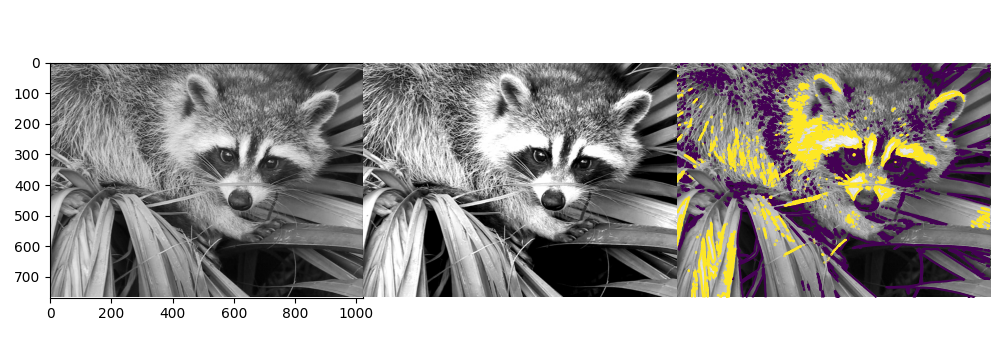
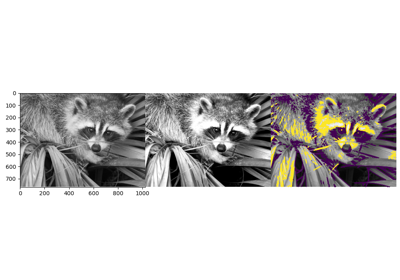
>>> f = sp.datasets.face(gray=True)  # retrieve a grayscale image
>>> import matplotlib.pyplot as plt
>>> plt.imshow(f, cmap=plt.cm.gray)
<matplotlib.image.AxesImage object at 0x...>
Increase contrast by setting min and max values:
>>> plt.imshow(f, cmap=plt.cm.gray, vmin=30, vmax=200)
<matplotlib.image.AxesImage object at 0x...>
>>> # Remove axes and ticks
>>> plt.axis('off')
(np.float64(-0.5), np.float64(1023.5), np.float64(767.5), np.float64(-0.5))
Draw contour lines:
>>> plt.contour(f, [50, 200])
<matplotlib.contour.QuadContourSet ...>
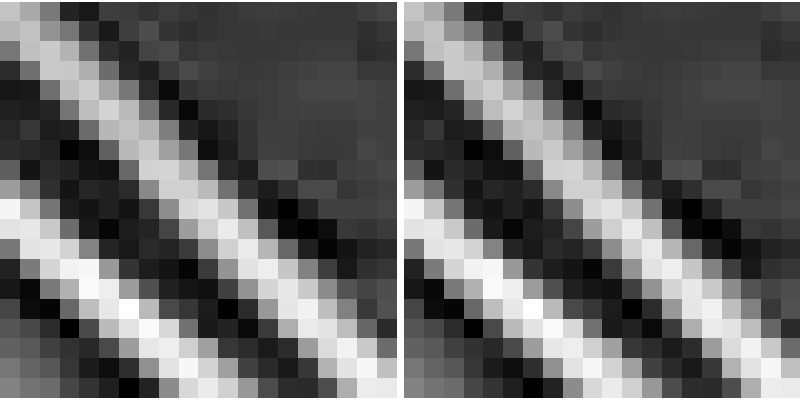
For smooth intensity variations, use interpolation='bilinear'. For fine inspection of intensity variations, use
interpolation='nearest':
>>> plt.imshow(f[320:340, 510:530], cmap=plt.cm.gray, interpolation='bilinear')
<matplotlib.image.AxesImage object at 0x...>
>>> plt.imshow(f[320:340, 510:530], cmap=plt.cm.gray, interpolation='nearest')
<matplotlib.image.AxesImage object at 0x...>
参考
More interpolation methods are in Matplotlib's examples.
2.6.3. Basic manipulations
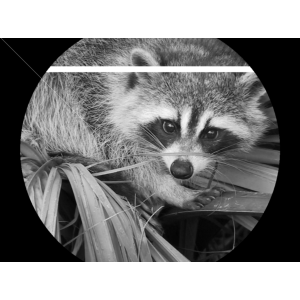
Images are arrays: use the whole numpy machinery.
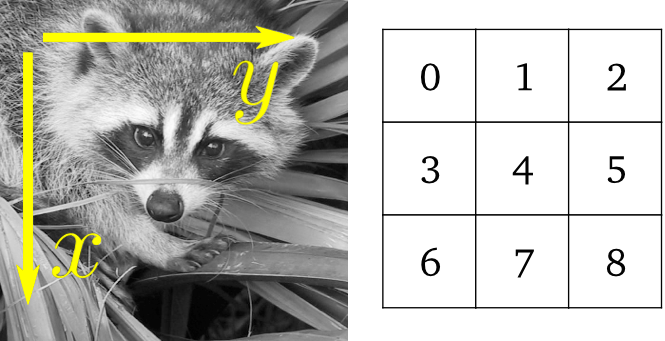
>>> face = sp.datasets.face(gray=True)
>>> face[0, 40]
np.uint8(127)
>>> # Slicing
>>> face[10:13, 20:23]
array([[141, 153, 145],
       [133, 134, 125],
       [ 96,  92,  94]], dtype=uint8)
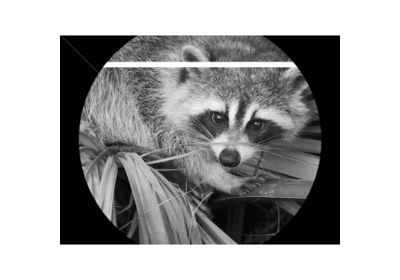
>>> face[100:120] = 255
>>>
>>> lx, ly = face.shape
>>> X, Y = np.ogrid[0:lx, 0:ly]
>>> mask = (X - lx / 2) ** 2 + (Y - ly / 2) ** 2 > lx * ly / 4
>>> # Masks
>>> face[mask] = 0
>>> # Fancy indexing
>>> face[range(400), range(400)] = 255
2.6.3.1. Statistical information
>>> face = sp.datasets.face(gray=True)
>>> face.mean()
np.float64(113.48026784261067)
>>> face.max(), face.min()
(np.uint8(250), np.uint8(0))
np.histogram
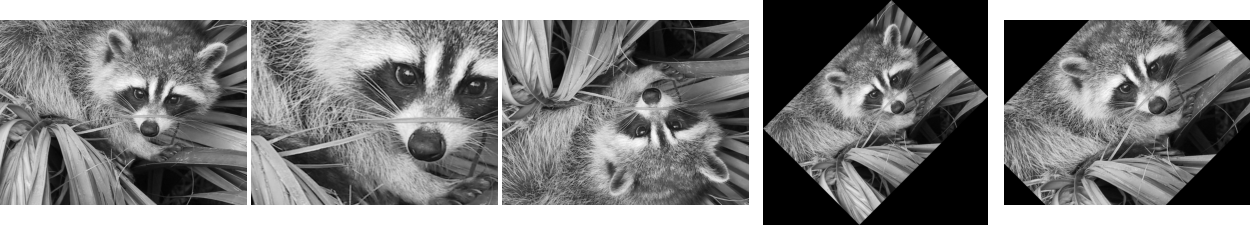
2.6.3.2. Geometrical transformations
>>> face = sp.datasets.face(gray=True)
>>> lx, ly = face.shape
>>> # Cropping
>>> crop_face = face[lx // 4: - lx // 4, ly // 4: - ly // 4]
>>> # up <-> down flip
>>> flip_ud_face = np.flipud(face)
>>> # rotation
>>> rotate_face = sp.ndimage.rotate(face, 45)
>>> rotate_face_noreshape = sp.ndimage.rotate(face, 45, reshape=False)
2.6.4. Image filtering
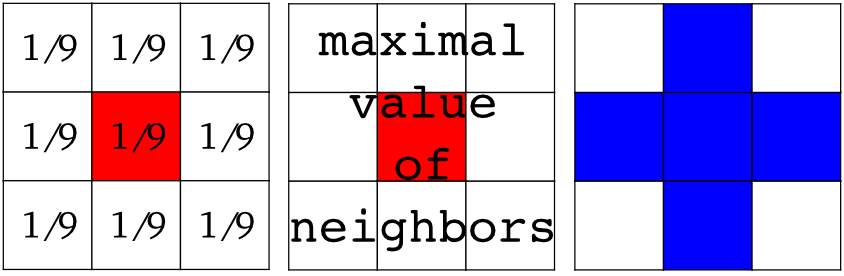
Local filters: replace the value of pixels by a function of the values of neighboring pixels.
局所: 正方形(サイズを選択)、円盤、またはより複雑な 構造要素 。
2.6.4.1. Blurring/smoothing
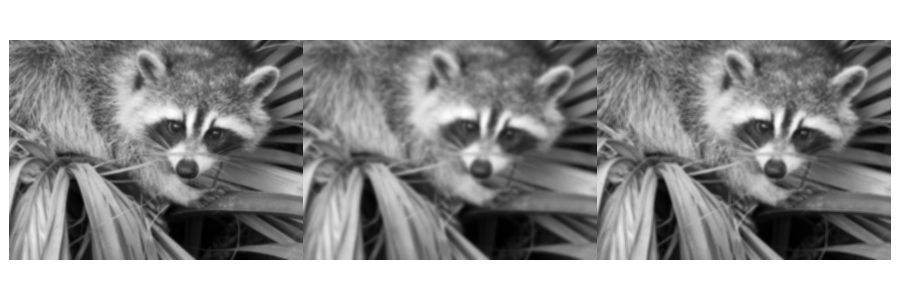
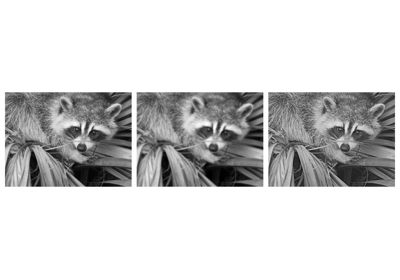
Gaussian filter from scipy.ndimage:
>>> face = sp.datasets.face(gray=True)
>>> blurred_face = sp.ndimage.gaussian_filter(face, sigma=3)
>>> very_blurred = sp.ndimage.gaussian_filter(face, sigma=5)
Uniform filter
>>> local_mean = sp.ndimage.uniform_filter(face, size=11)
2.6.4.2. Sharpening
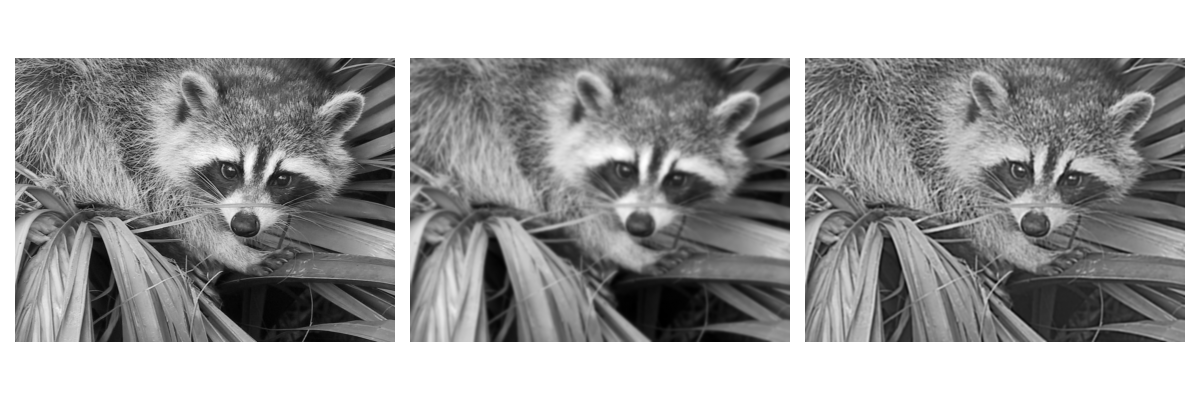
Sharpen a blurred image:
>>> face = sp.datasets.face(gray=True).astype(float)
>>> blurred_f = sp.ndimage.gaussian_filter(face, 3)
increase the weight of edges by adding an approximation of the Laplacian:
>>> filter_blurred_f = sp.ndimage.gaussian_filter(blurred_f, 1)
>>> alpha = 30
>>> sharpened = blurred_f + alpha * (blurred_f - filter_blurred_f)
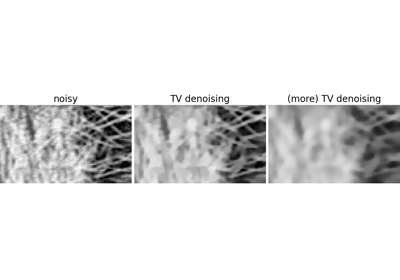
2.6.4.3. Denoising
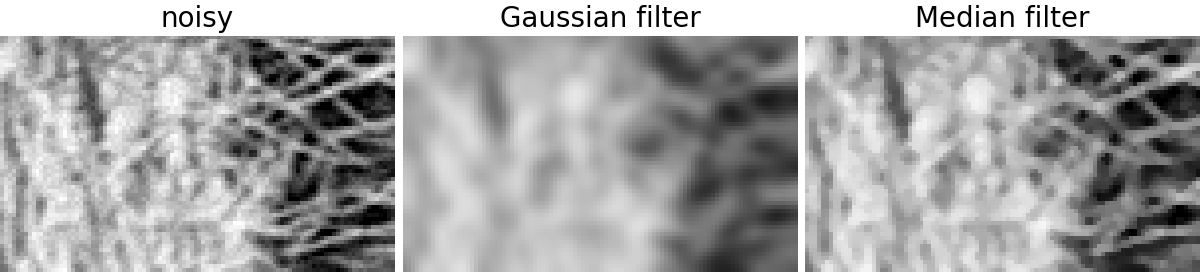
Noisy face:
>>> f = sp.datasets.face(gray=True)
>>> f = f[230:290, 220:320]
>>> rng = np.random.default_rng()
>>> noisy = f + 0.4 * f.std() * rng.random(f.shape)
A Gaussian filter smoothes the noise out... and the edges as well:
>>> gauss_denoised = sp.ndimage.gaussian_filter(noisy, 2)
Most local linear isotropic filters blur the image (scipy.ndimage.uniform_filter)
A median filter preserves better the edges:
>>> med_denoised = sp.ndimage.median_filter(noisy, 3)
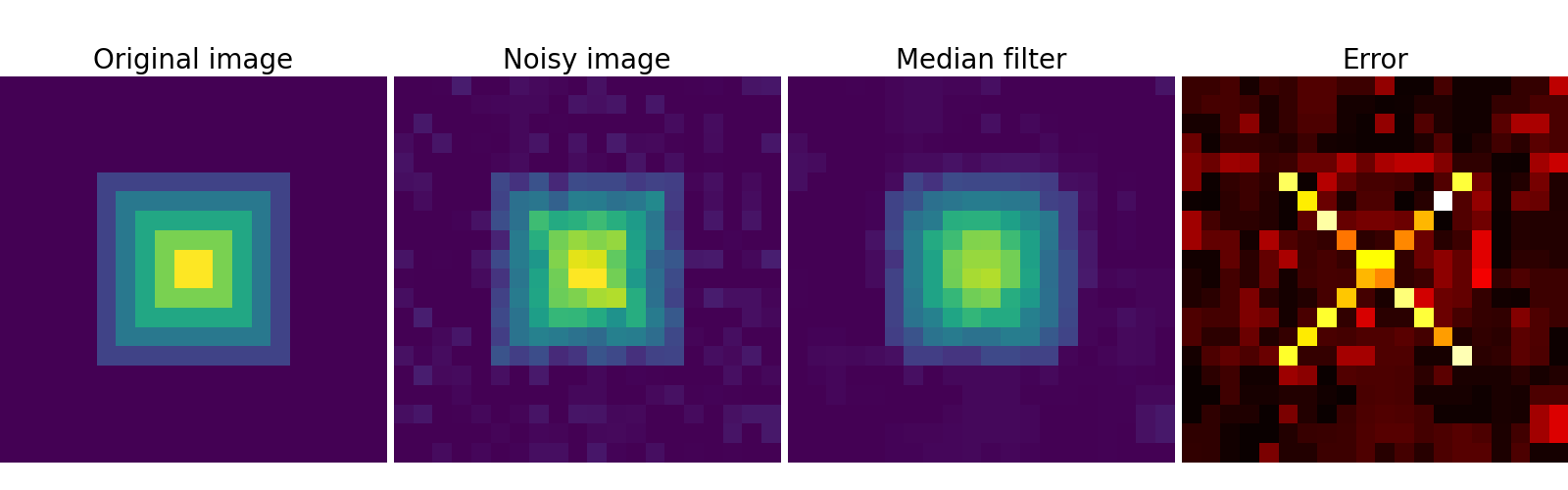
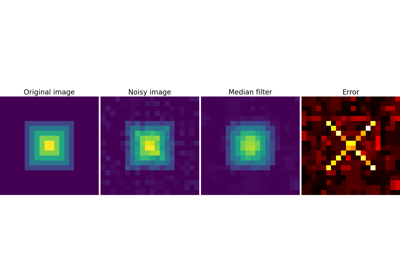
Median filter: better result for straight boundaries (low curvature):
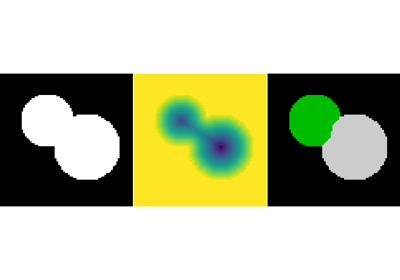
>>> im = np.zeros((20, 20))
>>> im[5:-5, 5:-5] = 1
>>> im = sp.ndimage.distance_transform_bf(im)
>>> rng = np.random.default_rng()
>>> im_noise = im + 0.2 * rng.standard_normal(im.shape)
>>> im_med = sp.ndimage.median_filter(im_noise, 3)
Other rank filter: scipy.ndimage.maximum_filter,
scipy.ndimage.percentile_filter
Other local non-linear filters: Wiener (scipy.signal.wiener), etc.
Non-local filters
参考
More denoising filters are available in skimage.denoising,
see the scikit-image: 画像処理 tutorial.
2.6.4.4. 数学的形態学
See wikipedia for a definition of mathematical morphology.
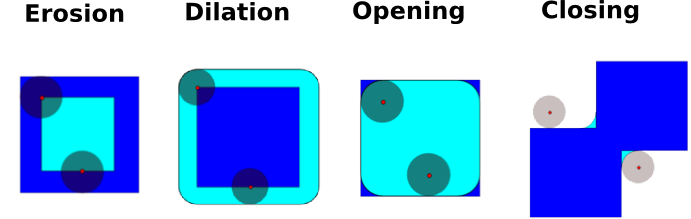
単純な形状( 構造化要素 )で画像を探査し、その形状が局所的に画像にどのようにフィットするか、あるいは画像をどのように外すかによって、この画像を修正します。
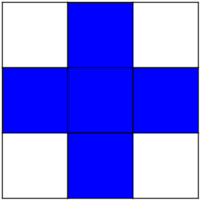
Structuring element:
>>> el = sp.ndimage.generate_binary_structure(2, 1)
>>> el
array([[False,  True, False],
       [ True,  True,  True],
       [False,  True, False]])
>>> el.astype(int)
array([[0, 1, 0],
       [1, 1, 1],
       [0, 1, 0]])
Erosion = minimum filter. Replace the value of a pixel by the minimal value covered by the structuring element.:
>>> a = np.zeros((7,7), dtype=int)
>>> a[1:6, 2:5] = 1
>>> a
array([[0, 0, 0, 0, 0, 0, 0],
       [0, 0, 1, 1, 1, 0, 0],
       [0, 0, 1, 1, 1, 0, 0],
       [0, 0, 1, 1, 1, 0, 0],
       [0, 0, 1, 1, 1, 0, 0],
       [0, 0, 1, 1, 1, 0, 0],
       [0, 0, 0, 0, 0, 0, 0]])
>>> sp.ndimage.binary_erosion(a).astype(a.dtype)
array([[0, 0, 0, 0, 0, 0, 0],
       [0, 0, 0, 0, 0, 0, 0],
       [0, 0, 0, 1, 0, 0, 0],
       [0, 0, 0, 1, 0, 0, 0],
       [0, 0, 0, 1, 0, 0, 0],
       [0, 0, 0, 0, 0, 0, 0],
       [0, 0, 0, 0, 0, 0, 0]])
>>> # Erosion removes objects smaller than the structure
>>> sp.ndimage.binary_erosion(a, structure=np.ones((5,5))).astype(a.dtype)
array([[0, 0, 0, 0, 0, 0, 0],
       [0, 0, 0, 0, 0, 0, 0],
       [0, 0, 0, 0, 0, 0, 0],
       [0, 0, 0, 0, 0, 0, 0],
       [0, 0, 0, 0, 0, 0, 0],
       [0, 0, 0, 0, 0, 0, 0],
       [0, 0, 0, 0, 0, 0, 0]])
Dilation: maximum filter:
>>> a = np.zeros((5, 5))
>>> a[2, 2] = 1
>>> a
array([[0.,  0.,  0.,  0.,  0.],
       [0.,  0.,  0.,  0.,  0.],
       [0.,  0.,  1.,  0.,  0.],
       [0.,  0.,  0.,  0.,  0.],
       [0.,  0.,  0.,  0.,  0.]])
>>> sp.ndimage.binary_dilation(a).astype(a.dtype)
array([[0.,  0.,  0.,  0.,  0.],
       [0.,  0.,  1.,  0.,  0.],
       [0.,  1.,  1.,  1.,  0.],
       [0.,  0.,  1.,  0.,  0.],
       [0.,  0.,  0.,  0.,  0.]])
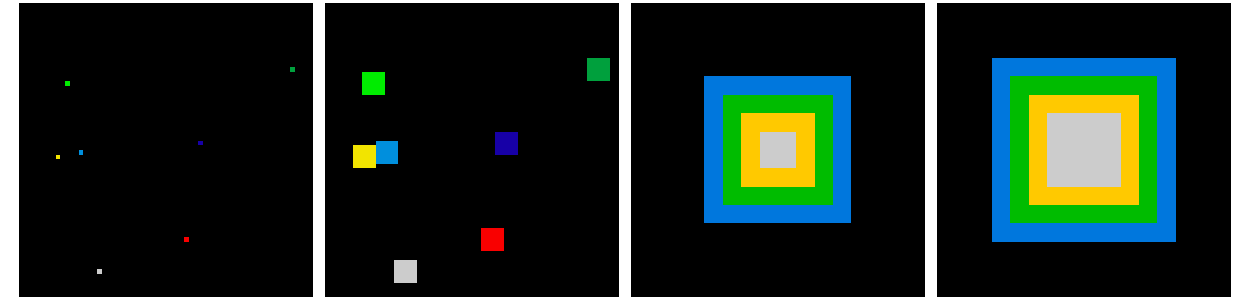
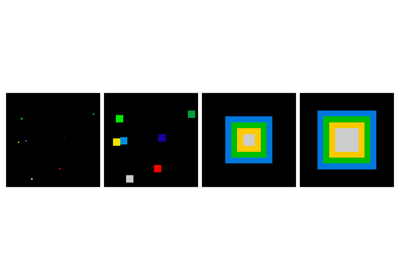
Also works for grey-valued images:
>>> rng = np.random.default_rng(27446968)
>>> im = np.zeros((64, 64))
>>> x, y = (63*rng.random((2, 8))).astype(int)
>>> im[x, y] = np.arange(8)

>>> bigger_points = sp.ndimage.grey_dilation(im, size=(5, 5), structure=np.ones((5, 5)))

>>> square = np.zeros((16, 16))
>>> square[4:-4, 4:-4] = 1
>>> dist = sp.ndimage.distance_transform_bf(square)
>>> dilate_dist = sp.ndimage.grey_dilation(dist, size=(3, 3), \
...         structure=np.ones((3, 3)))
Opening: erosion + dilation:
>>> a = np.zeros((5,5), dtype=int)
>>> a[1:4, 1:4] = 1; a[4, 4] = 1
>>> a
array([[0, 0, 0, 0, 0],
       [0, 1, 1, 1, 0],
       [0, 1, 1, 1, 0],
       [0, 1, 1, 1, 0],
       [0, 0, 0, 0, 1]])
>>> # Opening removes small objects
>>> sp.ndimage.binary_opening(a, structure=np.ones((3,3))).astype(int)
array([[0, 0, 0, 0, 0],
       [0, 1, 1, 1, 0],
       [0, 1, 1, 1, 0],
       [0, 1, 1, 1, 0],
       [0, 0, 0, 0, 0]])
>>> # Opening can also smooth corners
>>> sp.ndimage.binary_opening(a).astype(int)
array([[0, 0, 0, 0, 0],
       [0, 0, 1, 0, 0],
       [0, 1, 1, 1, 0],
       [0, 0, 1, 0, 0],
       [0, 0, 0, 0, 0]])
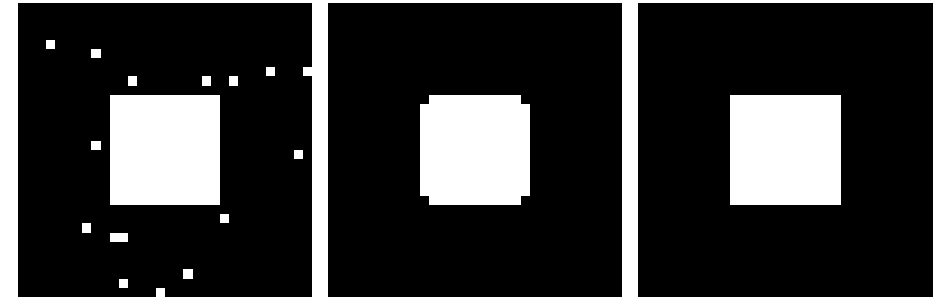
Application: remove noise:
>>> square = np.zeros((32, 32))
>>> square[10:-10, 10:-10] = 1
>>> rng = np.random.default_rng(27446968)
>>> x, y = (32*rng.random((2, 20))).astype(int)
>>> square[x, y] = 1

>>> open_square = sp.ndimage.binary_opening(square)

>>> eroded_square = sp.ndimage.binary_erosion(square)
>>> reconstruction = sp.ndimage.binary_propagation(eroded_square, mask=square)
Closing: dilation + erosion
Many other mathematical morphology operations: hit and miss transform, tophat, etc.
2.6.5. Feature extraction
2.6.5.1. Edge detection
合成データ:
>>> im = np.zeros((256, 256))
>>> im[64:-64, 64:-64] = 1
>>>
>>> im = sp.ndimage.rotate(im, 15, mode='constant')
>>> im = sp.ndimage.gaussian_filter(im, 8)
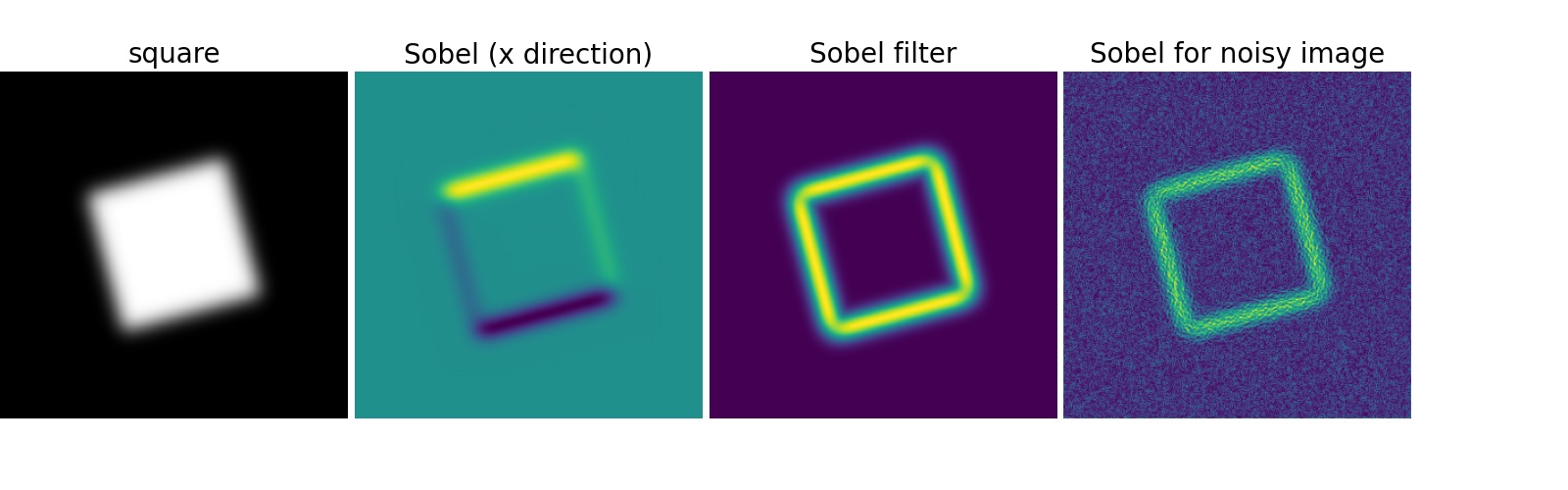
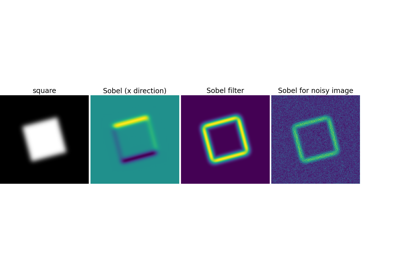
Use a gradient operator (Sobel) to find high intensity variations:
>>> sx = sp.ndimage.sobel(im, axis=0, mode='constant')
>>> sy = sp.ndimage.sobel(im, axis=1, mode='constant')
>>> sob = np.hypot(sx, sy)
2.6.5.2. Segmentation
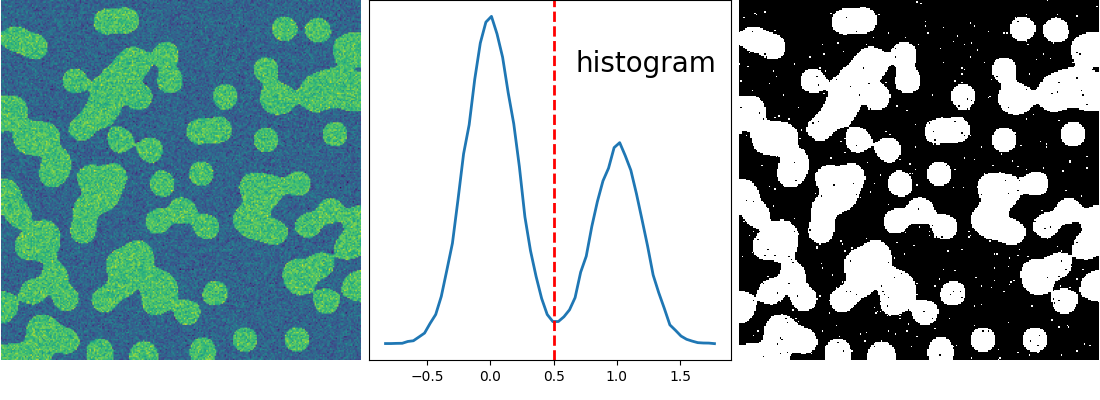
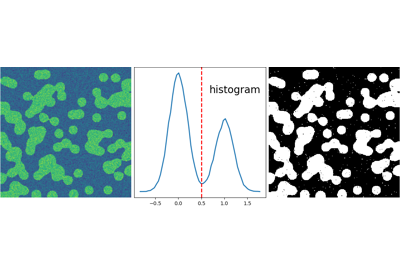
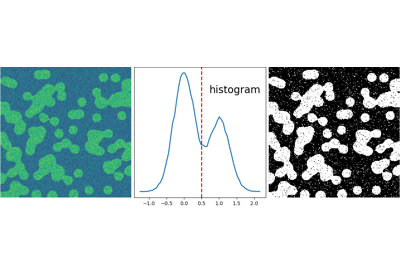
Histogram-based segmentation (no spatial information)
>>> n = 10
>>> l = 256
>>> im = np.zeros((l, l))
>>> rng = np.random.default_rng(27446968)
>>> points = l*rng.random((2, n**2))
>>> im[(points[0]).astype(int), (points[1]).astype(int)] = 1
>>> im = sp.ndimage.gaussian_filter(im, sigma=l/(4.*n))

>>> mask = (im > im.mean()).astype(float)
>>> mask += 0.1 * im
>>> img = mask + 0.2*rng.standard_normal(mask.shape)

>>> hist, bin_edges = np.histogram(img, bins=60)
>>> bin_centers = 0.5*(bin_edges[:-1] + bin_edges[1:])

>>> binary_img = img > 0.5
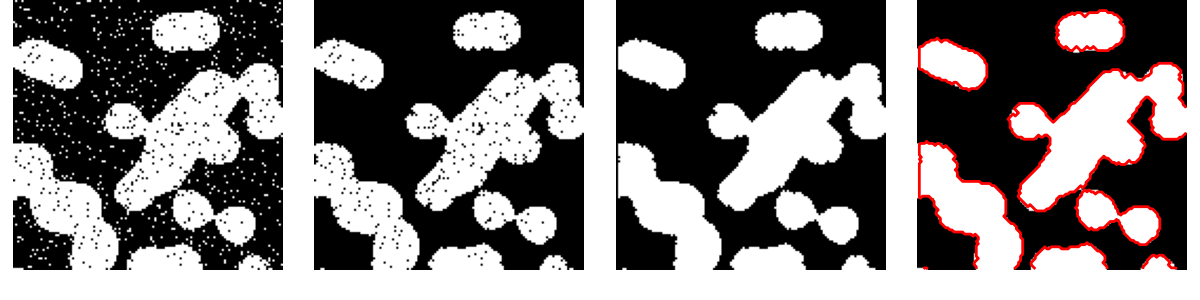
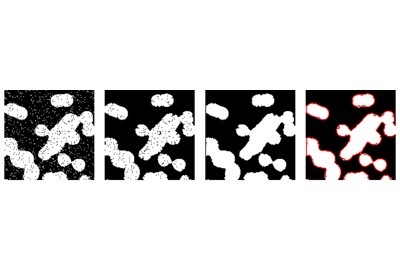
Use mathematical morphology to clean up the result:
>>> # Remove small white regions
>>> open_img = sp.ndimage.binary_opening(binary_img)
>>> # Remove small black hole
>>> close_img = sp.ndimage.binary_closing(open_img)
参考
More advanced segmentation algorithms are found in the
scikit-image: see scikit-image: 画像処理.
参考
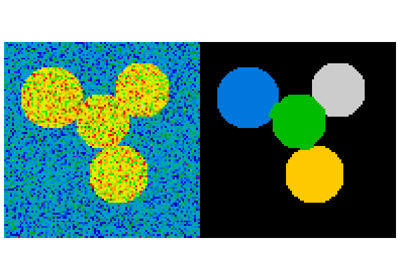
Other Scientific Packages provide algorithms that can be useful for
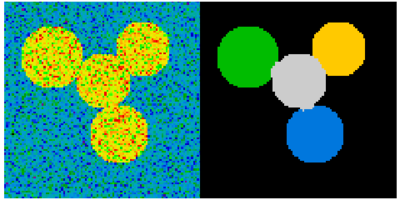
image processing. In this example, we use the spectral clustering
function of the scikit-learn in order to segment glued objects.
>>> from sklearn.feature_extraction import image
>>> from sklearn.cluster import spectral_clustering

>>> l = 100
>>> x, y = np.indices((l, l))

>>> center1 = (28, 24)
>>> center2 = (40, 50)
>>> center3 = (67, 58)
>>> center4 = (24, 70)
>>> radius1, radius2, radius3, radius4 = 16, 14, 15, 14

>>> circle1 = (x - center1[0])**2 + (y - center1[1])**2 < radius1**2
>>> circle2 = (x - center2[0])**2 + (y - center2[1])**2 < radius2**2
>>> circle3 = (x - center3[0])**2 + (y - center3[1])**2 < radius3**2
>>> circle4 = (x - center4[0])**2 + (y - center4[1])**2 < radius4**2

>>> # 4 circles
>>> img = circle1 + circle2 + circle3 + circle4
>>> mask = img.astype(bool)
>>> img = img.astype(float)

>>> rng = np.random.default_rng()
>>> img += 1 + 0.2*rng.standard_normal(img.shape)
>>> # Convert the image into a graph with the value of the gradient on
>>> # the edges.
>>> graph = image.img_to_graph(img, mask=mask)

>>> # Take a decreasing function of the gradient: we take it weakly
>>> # dependent from the gradient the segmentation is close to a voronoi
>>> graph.data = np.exp(-graph.data/graph.data.std())

>>> labels = spectral_clustering(graph, n_clusters=4, eigen_solver='arpack')
>>> label_im = -np.ones(mask.shape)
>>> label_im[mask] = labels
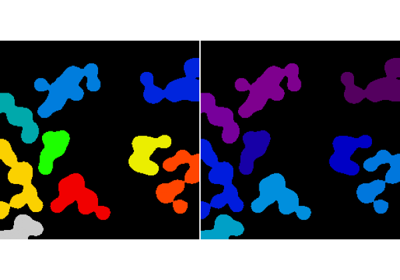
2.6.6. Measuring objects properties: scipy.ndimage.measurements
合成データ:
>>> n = 10
>>> l = 256
>>> im = np.zeros((l, l))
>>> rng = np.random.default_rng(27446968)
>>> points = l * rng.random((2, n**2))
>>> im[(points[0]).astype(int), (points[1]).astype(int)] = 1
>>> im = sp.ndimage.gaussian_filter(im, sigma=l/(4.*n))
>>> mask = im > im.mean()
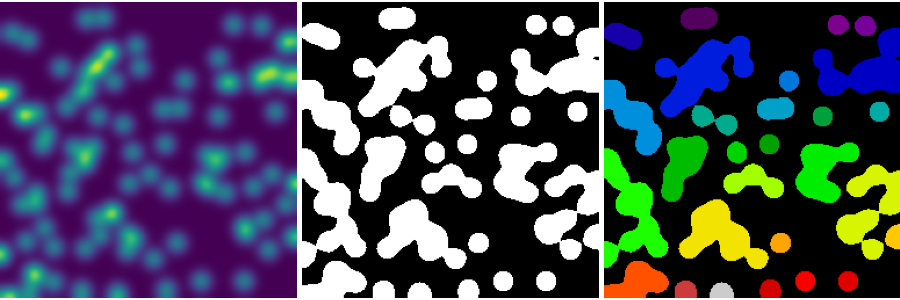
Analysis of connected components
Label connected components: scipy.dimage.label:
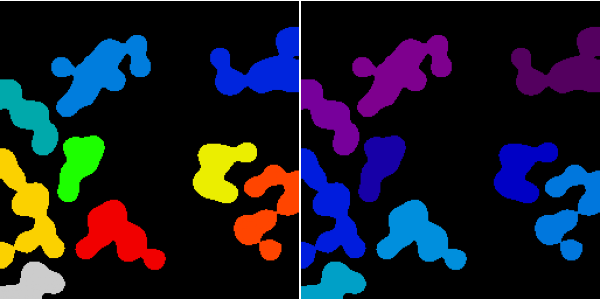
>>> label_im, nb_labels = sp.ndimage.label(mask)
>>> nb_labels # how many regions?
28
>>> plt.imshow(label_im)
<matplotlib.image.AxesImage object at 0x...>
Compute size, mean_value, etc. of each region:
>>> sizes = sp.ndimage.sum(mask, label_im, range(nb_labels + 1))
>>> mean_vals = sp.ndimage.sum(im, label_im, range(1, nb_labels + 1))
Clean up small connect components:
>>> mask_size = sizes < 1000
>>> remove_pixel = mask_size[label_im]
>>> remove_pixel.shape
(256, 256)
>>> label_im[remove_pixel] = 0
>>> plt.imshow(label_im)
<matplotlib.image.AxesImage object at 0x...>
Now reassign labels with np.searchsorted:
>>> labels = np.unique(label_im)
>>> label_im = np.searchsorted(labels, label_im)
Find region of interest enclosing object:
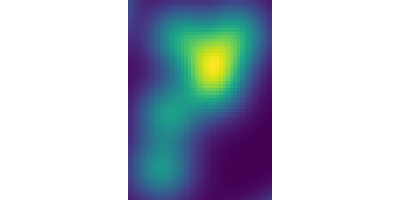
>>> slice_x, slice_y = sp.ndimage.find_objects(label_im)[3]
>>> roi = im[slice_x, slice_y]
>>> plt.imshow(roi)
<matplotlib.image.AxesImage object at 0x...>
Other spatial measures: scipy.ndimage.center_of_mass,
scipy.ndimage.maximum_position, etc.
Can be used outside the limited scope of segmentation applications.
Example: block mean:
>>> f = sp.datasets.face(gray=True)
>>> sx, sy = f.shape
>>> X, Y = np.ogrid[0:sx, 0:sy]
>>> regions = (sy//6) * (X//4) + (Y//6)  # note that we use broadcasting
>>> block_mean = sp.ndimage.mean(f, labels=regions, index=np.arange(1,
...     regions.max() +1))
>>> block_mean.shape = (sx // 4, sy // 6)
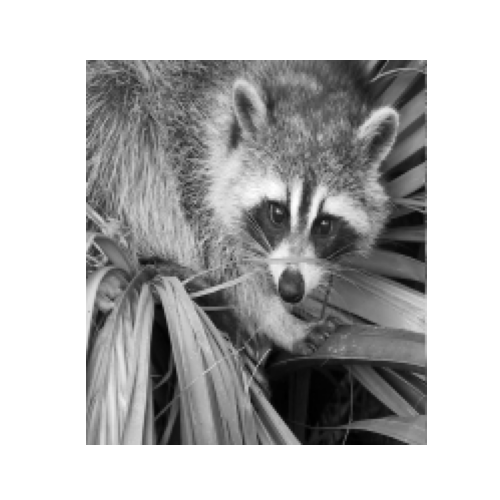
When regions are regular blocks, it is more efficient to use stride tricks (Example: fake dimensions with strides).
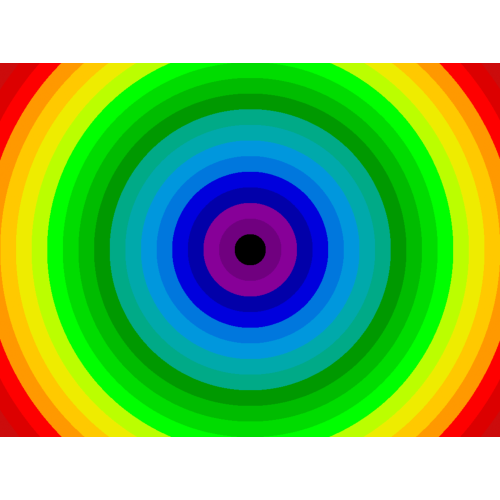
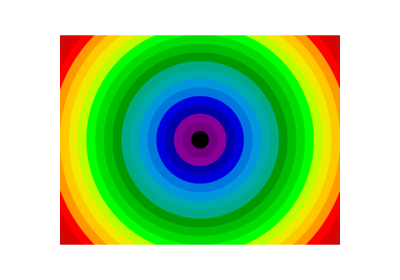
Non-regularly-spaced blocks: radial mean:
>>> sx, sy = f.shape
>>> X, Y = np.ogrid[0:sx, 0:sy]
>>> r = np.hypot(X - sx/2, Y - sy/2)
>>> rbin = (20* r/r.max()).astype(int)
>>> radial_mean = sp.ndimage.mean(f, labels=rbin, index=np.arange(1, rbin.max() +1))
Other measures
Correlation function, Fourier/wavelet spectrum, etc.
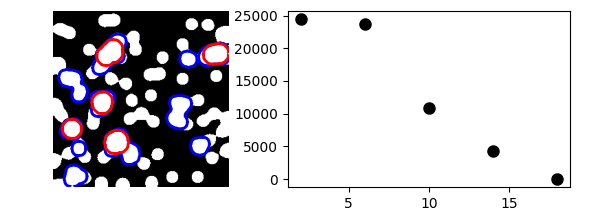
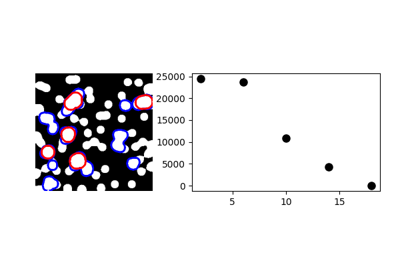
One example with mathematical morphology: granulometry
>>> def disk_structure(n):
...     struct = np.zeros((2 * n + 1, 2 * n + 1))
...     x, y = np.indices((2 * n + 1, 2 * n + 1))
...     mask = (x - n)**2 + (y - n)**2 <= n**2
...     struct[mask] = 1
...     return struct.astype(bool)
...
>>>
>>> def granulometry(data, sizes=None):
...     s = max(data.shape)
...     if sizes is None:
...         sizes = range(1, s/2, 2)
...     granulo = [sp.ndimage.binary_opening(data, \
...         structure=disk_structure(n)).sum() for n in sizes]
...     return granulo
...
>>>
>>> rng = np.random.default_rng(27446968)
>>> n = 10
>>> l = 256
>>> im = np.zeros((l, l))
>>> points = l*rng.random((2, n**2))
>>> im[(points[0]).astype(int), (points[1]).astype(int)] = 1
>>> im = sp.ndimage.gaussian_filter(im, sigma=l/(4.*n))
>>>
>>> mask = im > im.mean()
>>>
>>> granulo = granulometry(mask, sizes=np.arange(2, 19, 4))
2.6.7. 全コード例
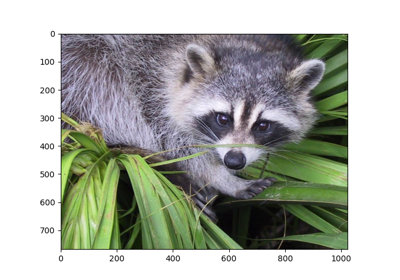
2.6.8. Examples for the image processing chapter
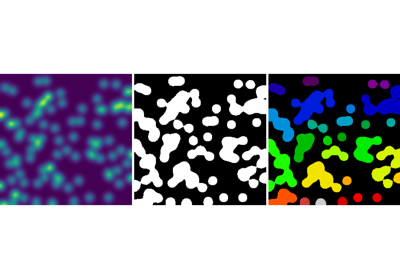

Cleaning segmentation with mathematical morphology
Gallery generated by Sphinx-Gallery
参考
More on image-processing:
The chapter on Scikit-image
Other, more powerful and complete modules: OpenCV (Python bindings), CellProfiler, ITK with Python bindings