注釈
最後まで をクリックすると完全なサンプルコードをダウンロードできます。
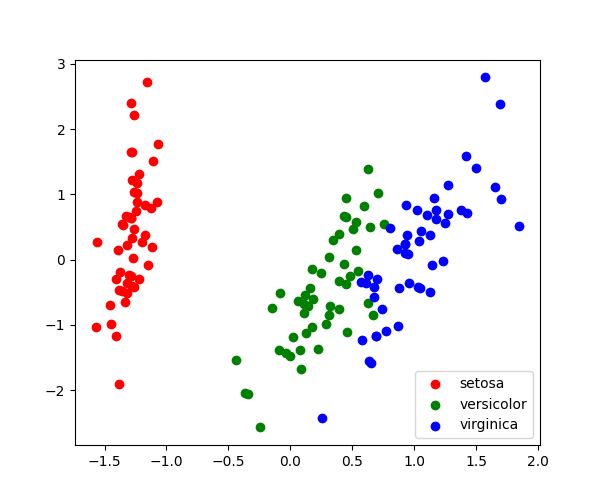
3.4.8.1. 2次元PCAのデモ
アヤメの花データを読み込みます
from sklearn import datasets

iris = datasets.load_iris()
X = iris.data
y = iris.target
PCAに合わせます
データを2Dで投影します
X_pca = pca.transform(X)
データを視覚化します
target_ids = range(len(iris.target_names))

import matplotlib.pyplot as plt

plt.figure(figsize=(6, 5))
for i, c, label in zip(target_ids, "rgbcmykw", iris.target_names, strict=False):
    plt.scatter(X_pca[y == i, 0], X_pca[y == i, 1], c=c, label=label)
plt.legend()
plt.show()
Total running time of the script: (0 minutes 0.078 seconds)